# 9.2. Pre-requisite for Vendor Creation

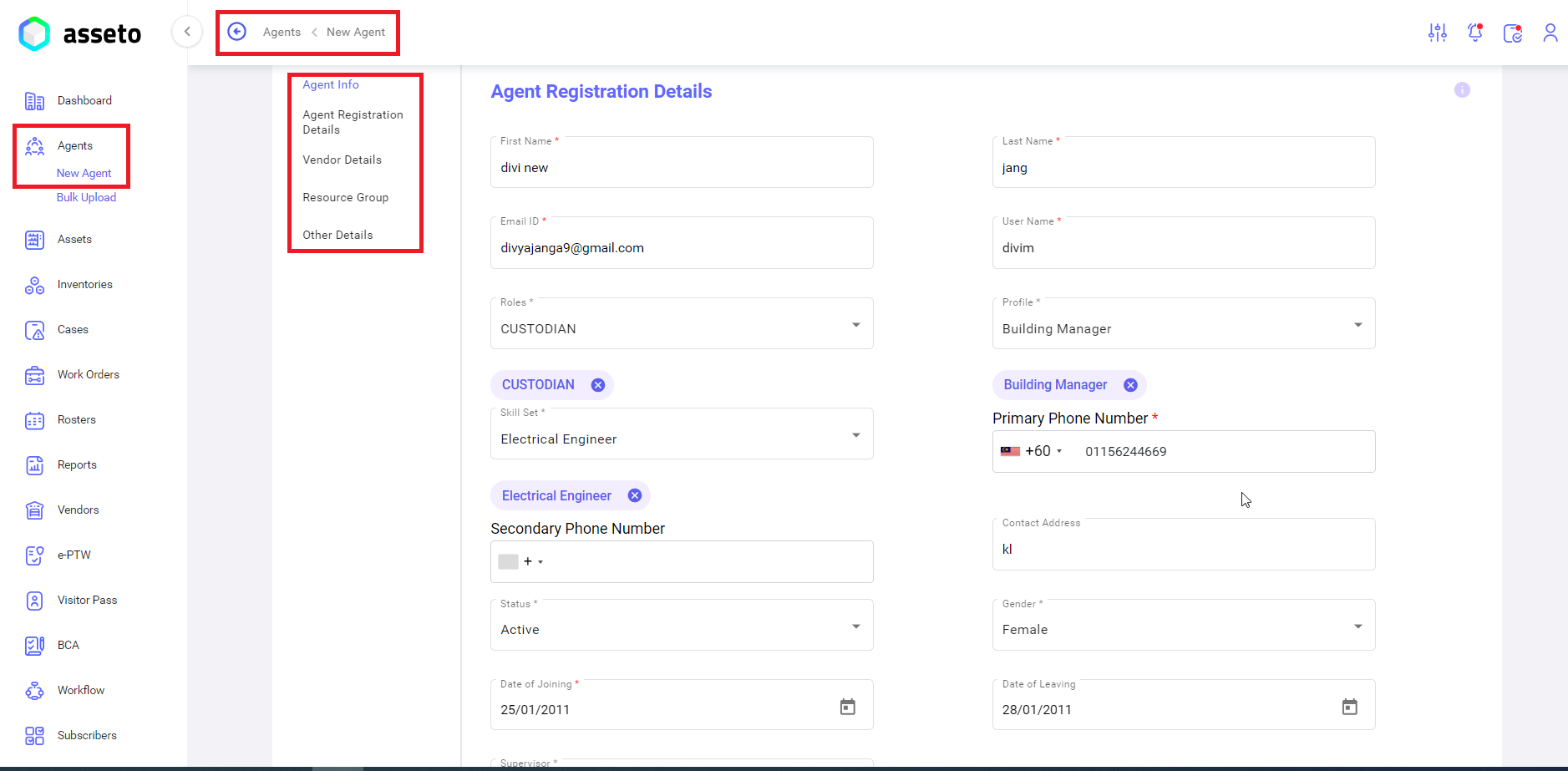
To onboard the new vendor, you must create an agent in agent’s module which we select from “contact person” field search dropdown while new vendor creation.

<u><span style="font-size: 11.0pt; line-height: 107%; font-family: 'Calibri',sans-serif; mso-ascii-theme-font: minor-latin; mso-fareast-font-family: Calibri; mso-fareast-theme-font: minor-latin; mso-hansi-theme-font: minor-latin; mso-bidi-font-family: 'Times New Roman'; mso-bidi-theme-font: minor-bidi; mso-ansi-language: EN-MY; mso-fareast-language: EN-US; mso-bidi-language: AR-SA;">Left Menu -&gt; Agent -&gt; New Agent</span></u>

[![agents-new agent1.png](https://kb.asseto.ai/uploads/images/gallery/2024-09/embedded-image-jl73isb9.png)](http://ec2-3-7-68-25.ap-south-1.compute.amazonaws.com/uploads/images/gallery/2024-08/kGOagents-new-agent1.png)

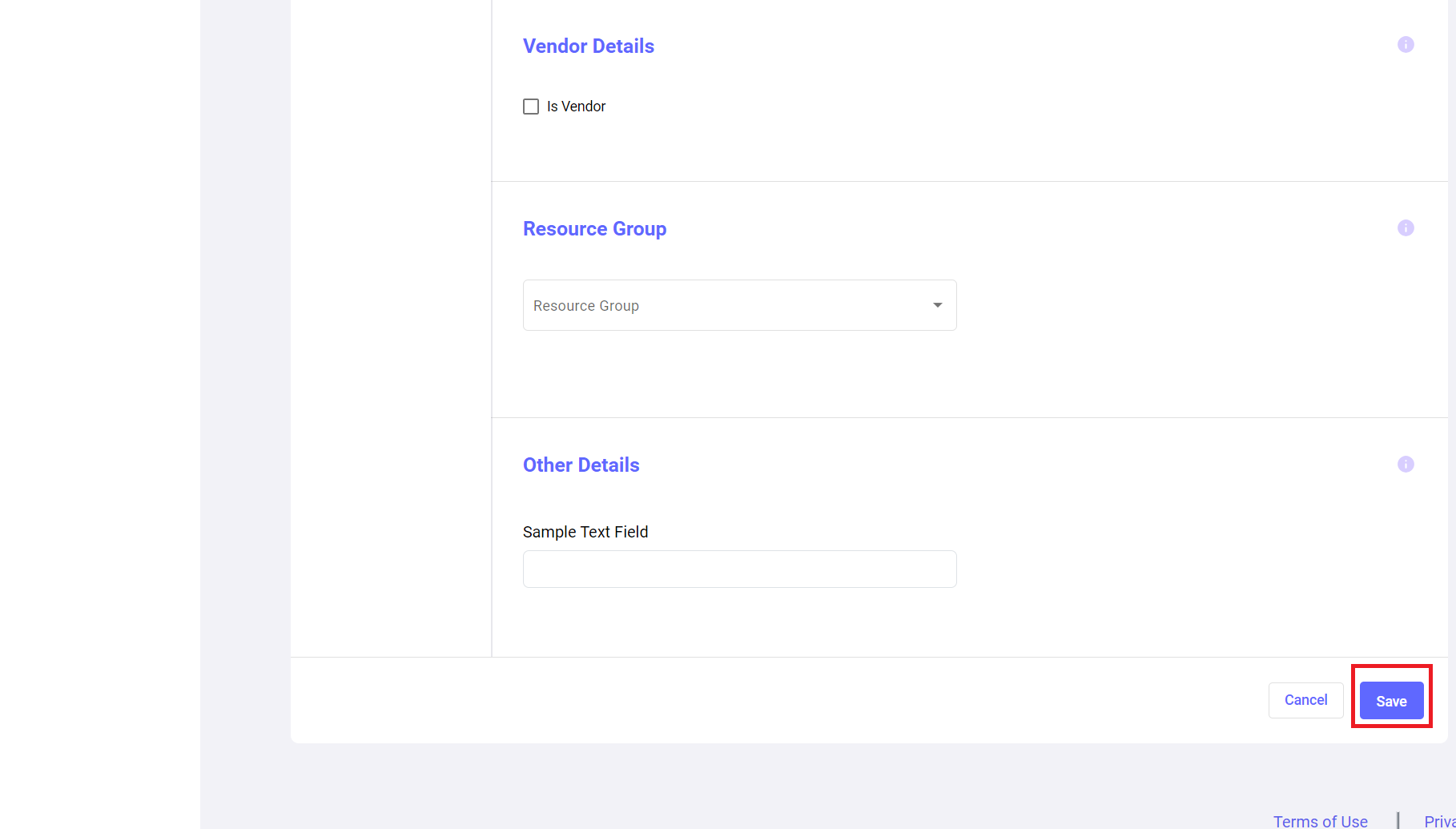
<span style="font-size: 11.0pt; line-height: 107%; font-family: 'Calibri',sans-serif; mso-ascii-theme-font: minor-latin; mso-fareast-font-family: Calibri; mso-fareast-theme-font: minor-latin; mso-hansi-theme-font: minor-latin; mso-bidi-font-family: 'Times New Roman'; mso-bidi-theme-font: minor-bidi; mso-ansi-language: EN-MY; mso-fareast-language: EN-US; mso-bidi-language: AR-SA;">Fill the all-mandatory fields then only the save button will be enabled.</span>

[![agent-new agent3.png](https://kb.asseto.ai/uploads/images/gallery/2024-09/embedded-image-dx8c2fxq.png)](http://ec2-3-7-68-25.ap-south-1.compute.amazonaws.com/uploads/images/gallery/2024-08/2hJagent-new-agent3.png)

Click on save button, confirmation message “agent registered successfully” message will be display and system navigated to agent’s dashboard page.<span style="mso-ansi-language: EN-US;"> <span lang="EN-US">In the agents list we can see newly added agent on the top of the list.</span></span>

<span lang="EN-US" style="mso-ansi-language: EN-US;">For more details, please refer to 2. Agent module -&gt; 2.3. New Agent.</span>

<div class="page-content" dir="auto" id="bkmrk--2">---

</div>