# 7.4. Edit Shift

<span lang="EN-US" style="mso-ansi-language: EN-US;">By using this feature user can edit/update the shift details.</span>

[![Edit-Roaster1.png](https://kb.asseto.ai/uploads/images/gallery/2024-09/embedded-image-uhvm2bz8.png)](http://ec2-3-7-68-25.ap-south-1.compute.amazonaws.com/uploads/images/gallery/2024-08/edit-roaster1.png)

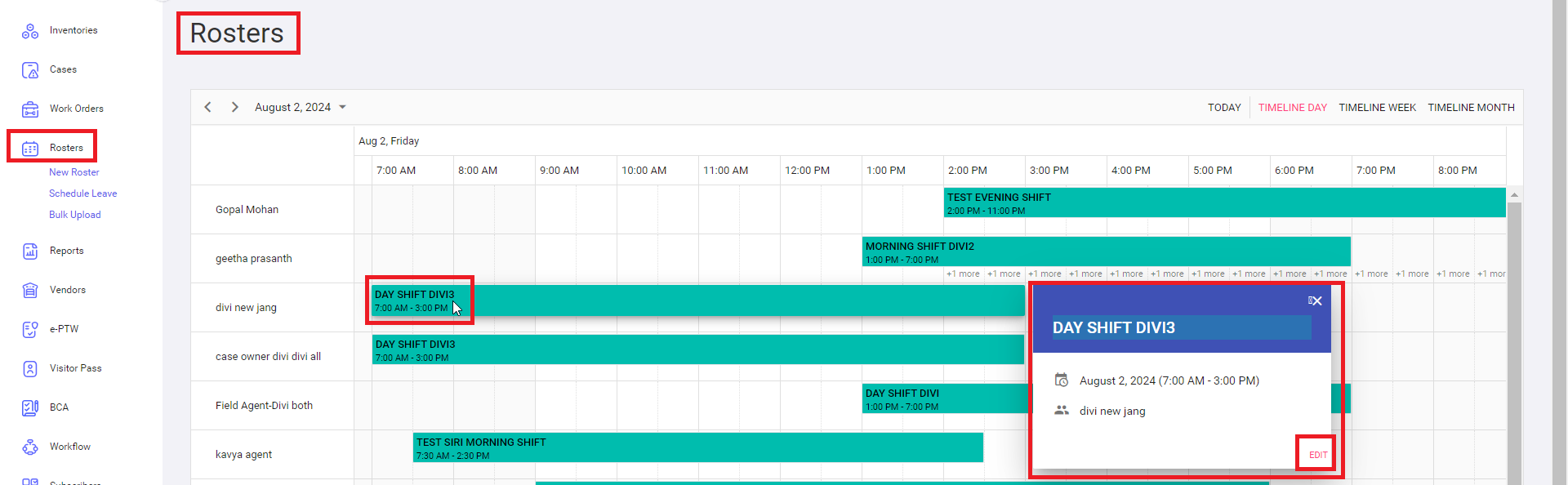
<span lang="EN-US" style="mso-ansi-language: EN-US;">Click on the shift name and then tap edit icon, system will navigate to edit roster/shift page.</span>

[![Edit-Roaster2.png](https://kb.asseto.ai/uploads/images/gallery/2024-09/embedded-image-3os2oswk.png)](http://ec2-3-7-68-25.ap-south-1.compute.amazonaws.com/uploads/images/gallery/2024-08/edit-roaster2.png)

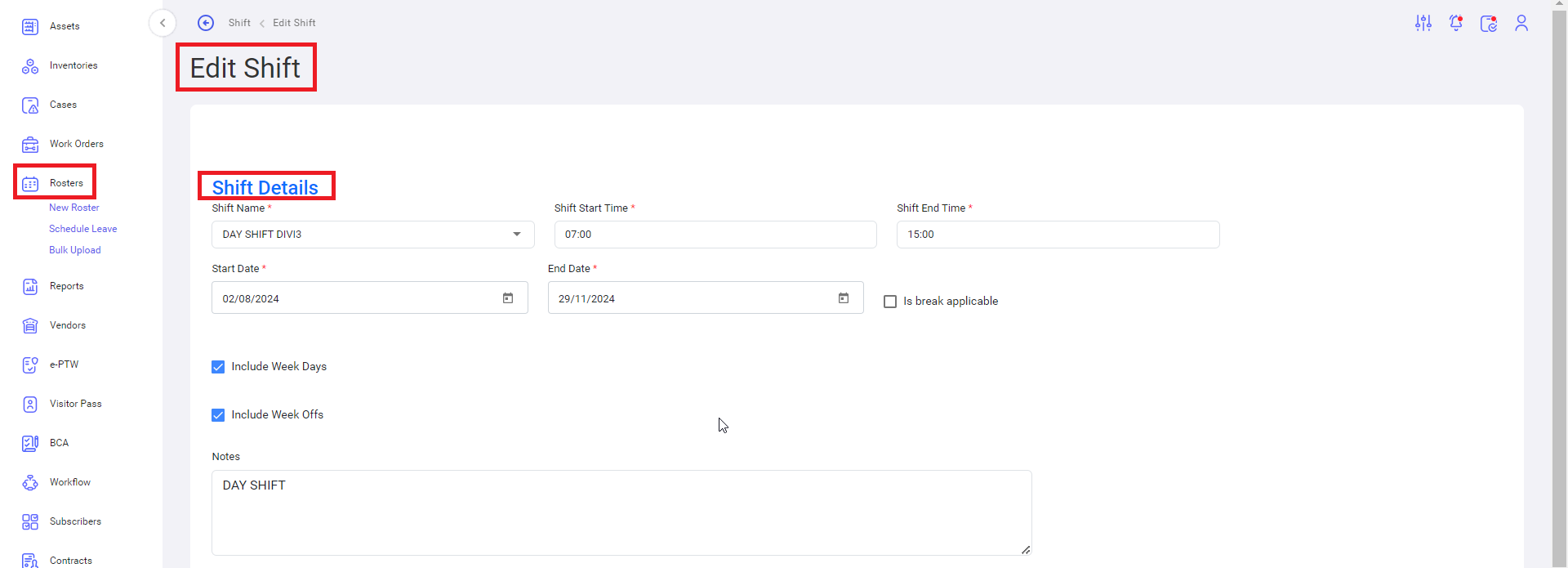
<span lang="EN-US" style="mso-ansi-language: EN-US;">Update field data as per your need.</span>

[![Edit-Roaster3.png](https://kb.asseto.ai/uploads/images/gallery/2024-09/embedded-image-cekmmo09.png)](http://ec2-3-7-68-25.ap-south-1.compute.amazonaws.com/uploads/images/gallery/2024-08/edit-roaster3.png)

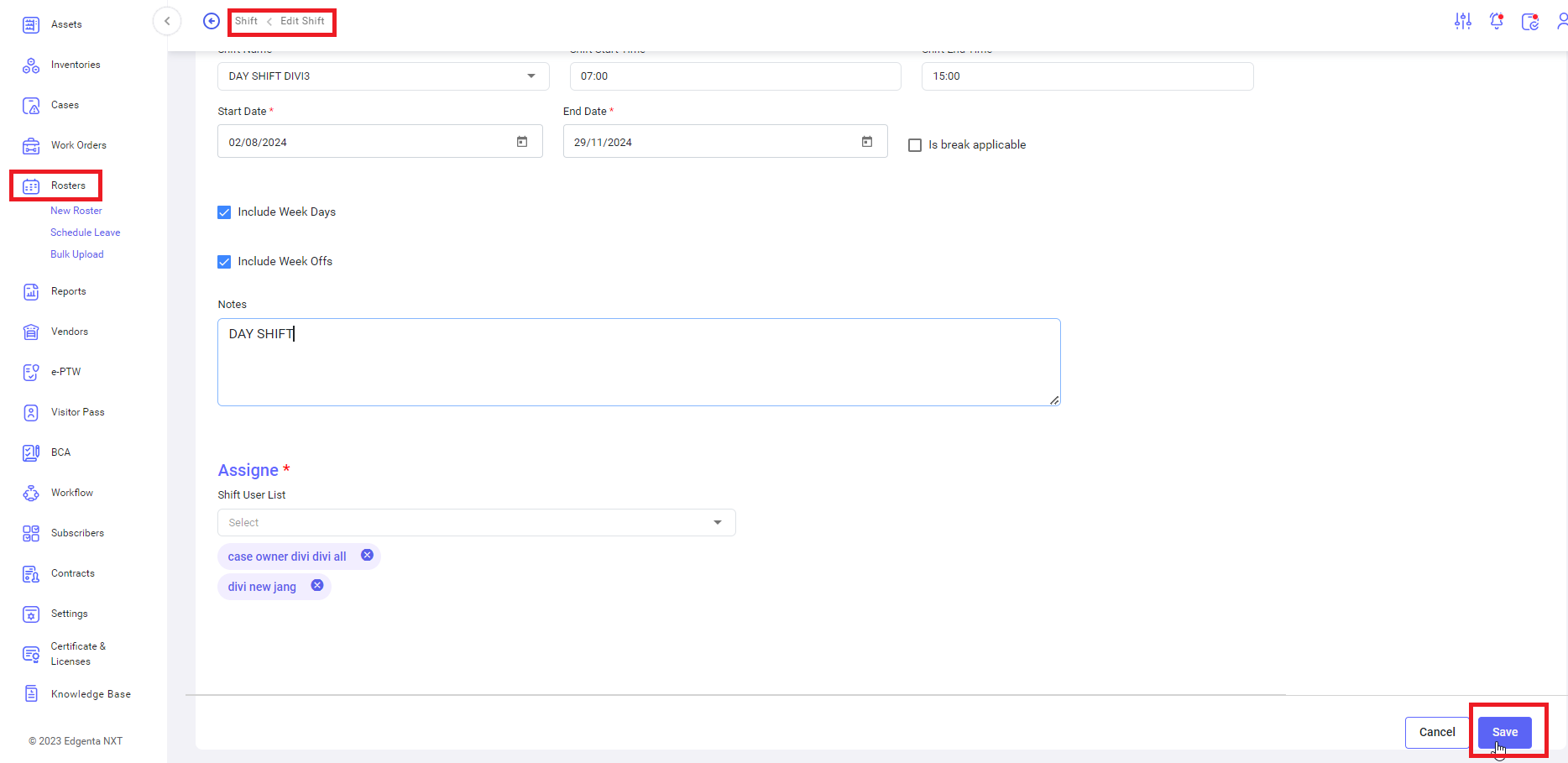
<span lang="EN-US" style="mso-ansi-language: EN-US;">Click on the save button.</span>

[![Edit-Roaster4.png](https://kb.asseto.ai/uploads/images/gallery/2024-09/embedded-image-iga9y1tt.png)](http://ec2-3-7-68-25.ap-south-1.compute.amazonaws.com/uploads/images/gallery/2024-08/edit-roaster4.png)

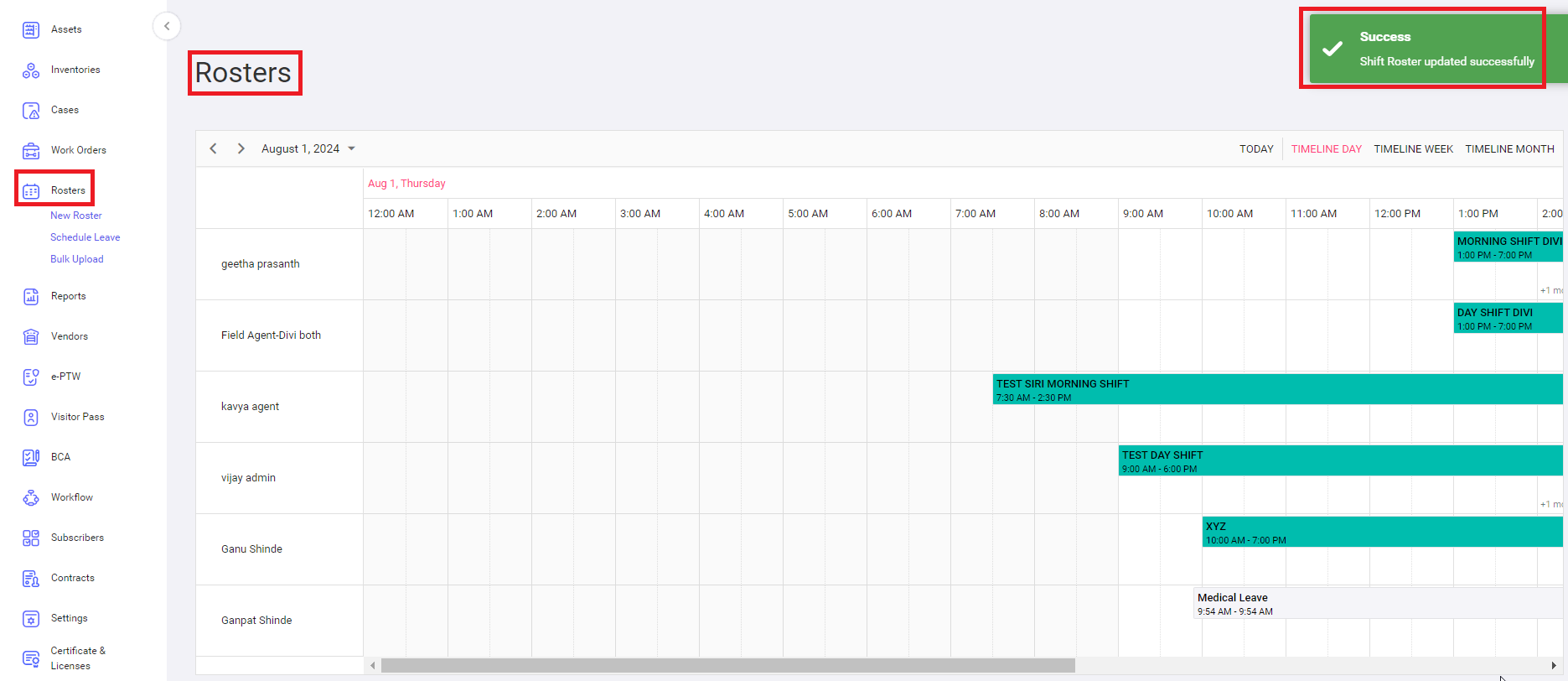
<span lang="EN-US" style="mso-ansi-language: EN-US;">A confirmation message “Shift Roster updated successfully” will be displayed and the system navigates to dashboard page.</span>

<div class="page-content" dir="auto" id="bkmrk--4"><div dir="auto">  
</div>---

<div class="text-muted text-small"><div class="entity-meta">  
</div></div></div>