# 3.3. New Asset
Click on "New Asset" to onboard an individual asset.
**Left panel -> Assets -> New Asset:**
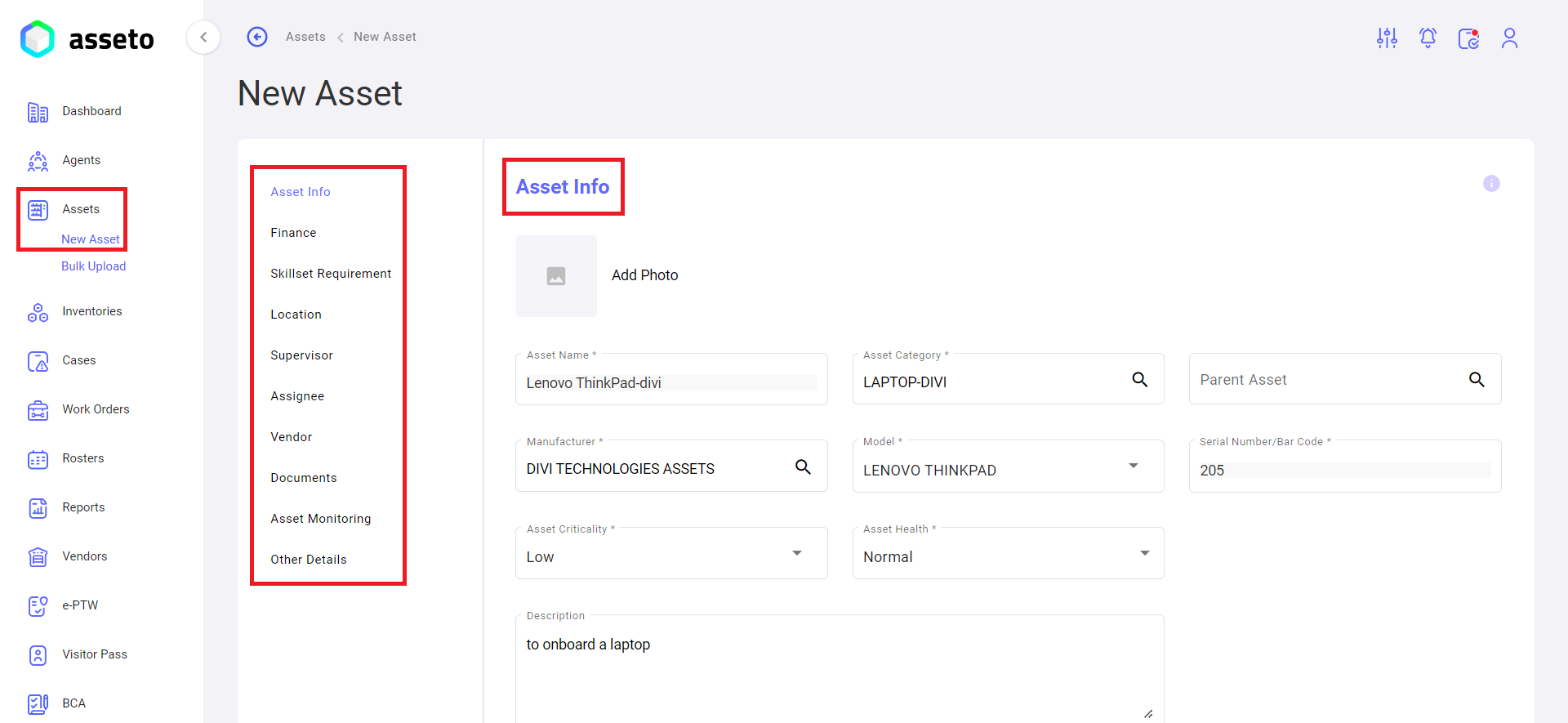
The new asset page will display a list of sections with links. To navigate to a particular section, simply click on the corresponding link.
On the new asset page, as shown in the screenshot below, fill in the mandatory fields to enable the "Save" button.
[](https://kb.asseto.ai/uploads/images/gallery/2024-09/new-asset1.png)
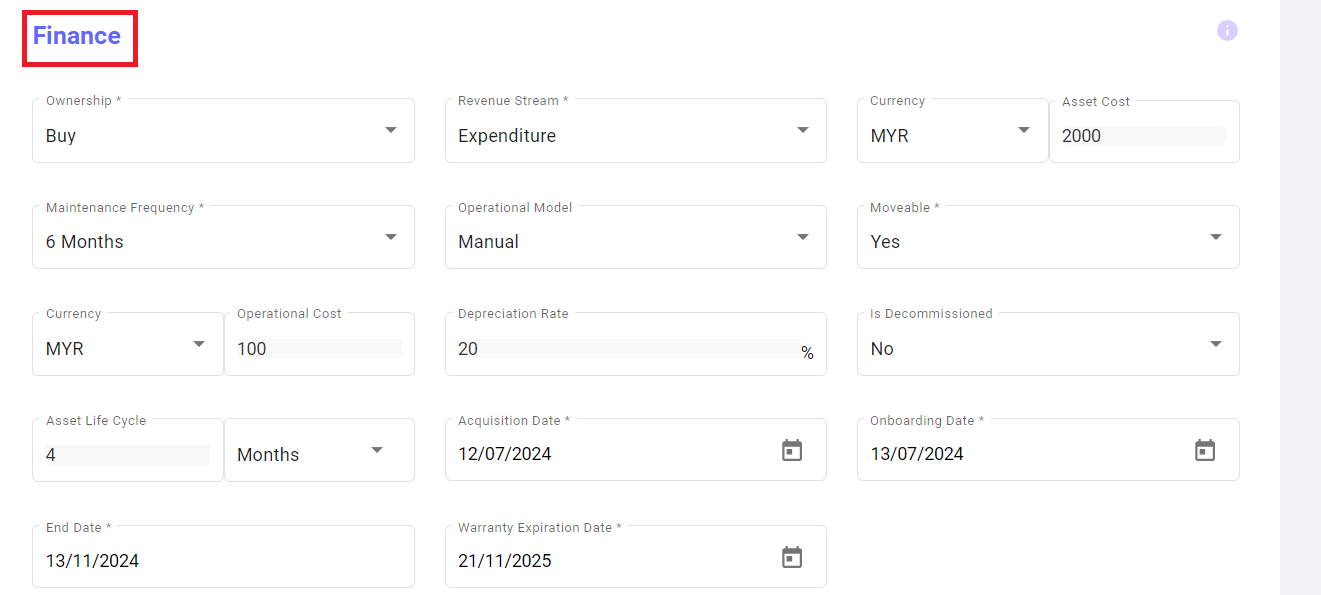
**Next**: Finance Section
[](https://kb.asseto.ai/uploads/images/gallery/2024-09/new-asset2.png)
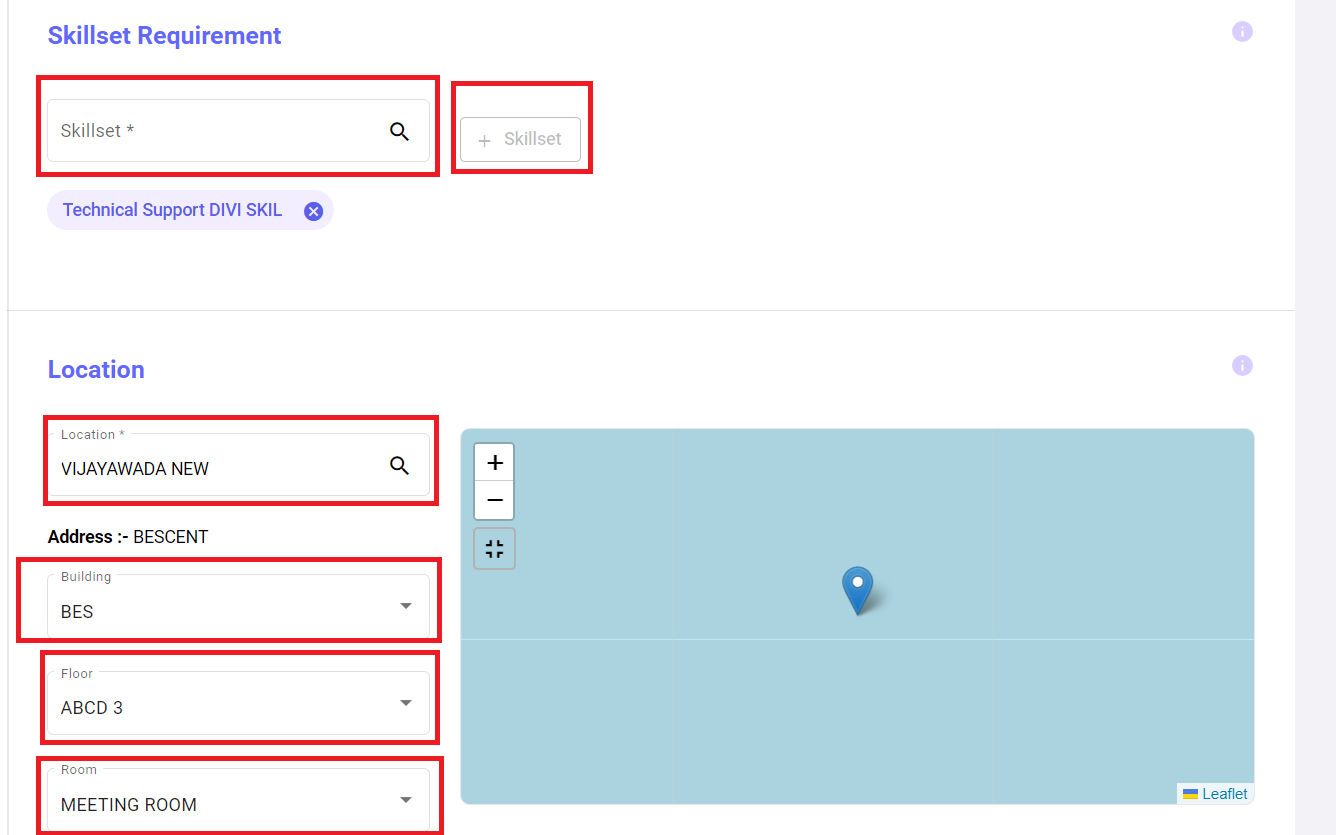
**Next**: Select Skillset Requirement and Location Section
[](https://kb.asseto.ai/uploads/images/gallery/2024-09/new-asset3.png)
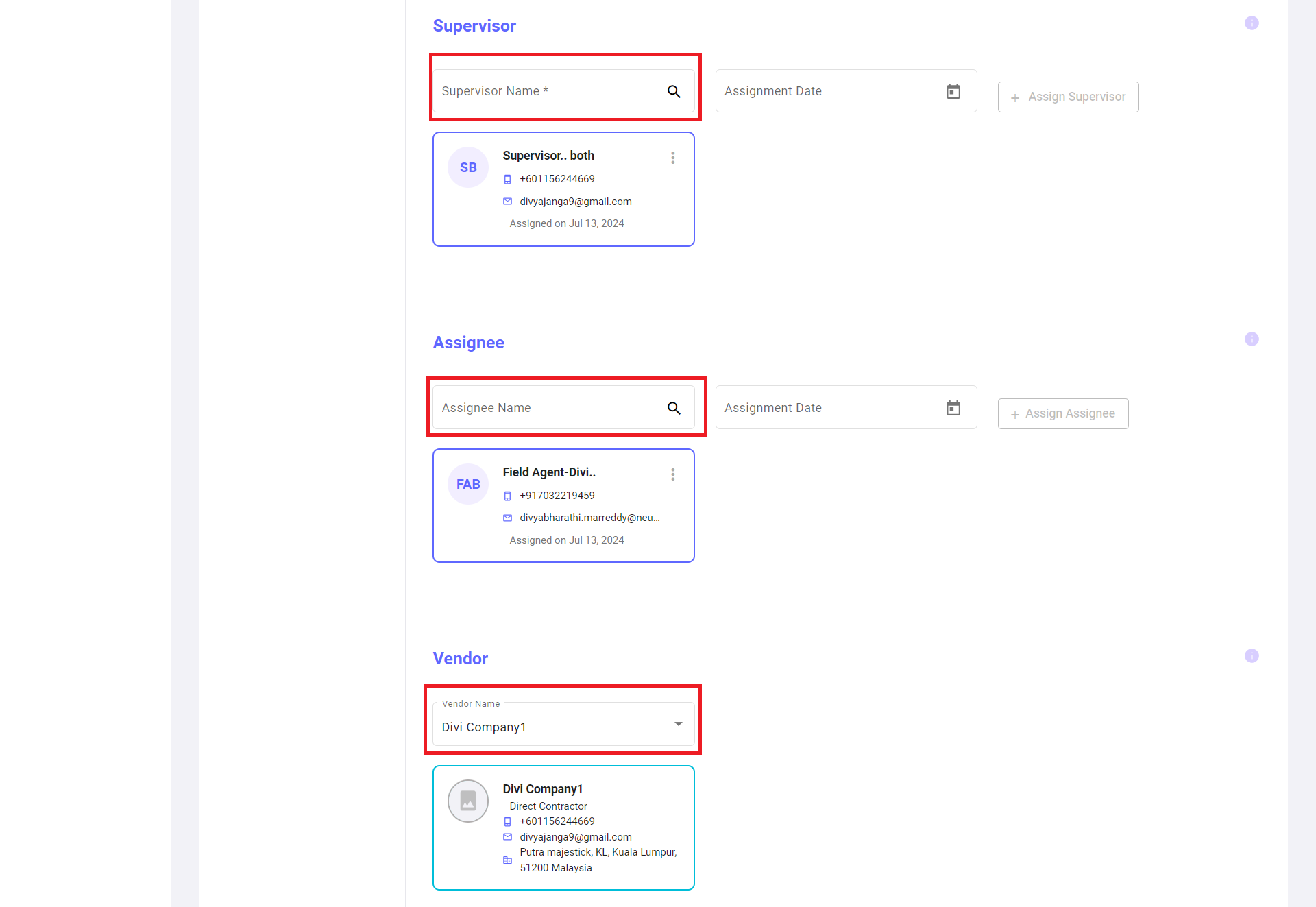
**Next**: Select the supervisor, assignee, and vendor from the list. The assignee field is non-mandatory.
[](https://kb.asseto.ai/uploads/images/gallery/2024-09/new-asset4.png)
**Next**: Click on the "Save" button to onboard the new asset.
[](https://kb.asseto.ai/uploads/images/gallery/2024-09/new-asset5.png)
The asset will be saved and displayed in the first row of the asset list.