# 12.3. New BCA Project
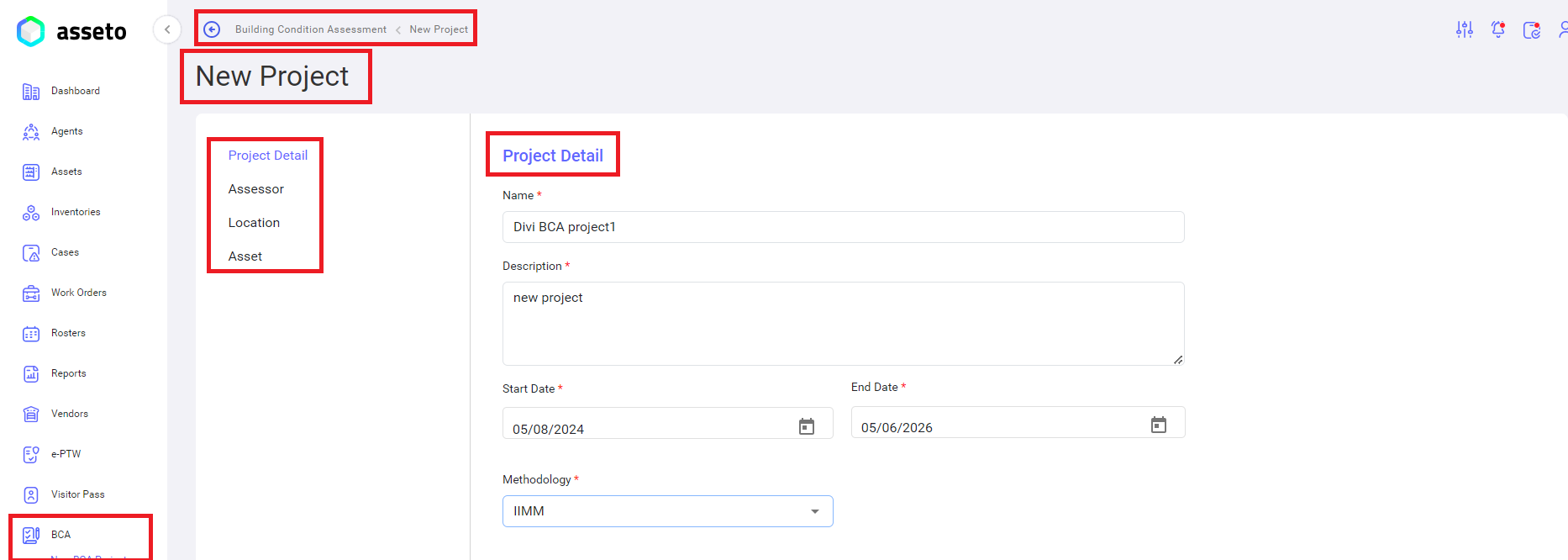
Using this option, the admin/user who creates the BCA project can choose from three methodologies: IMM, CIBSE, or JKR as shown by below screenshot.
[](http://ec2-3-7-68-25.ap-south-1.compute.amazonaws.com/uploads/images/gallery/2024-08/bca-new-bca-pro1.png)
**Methodology**: There are three methodologies: IIMM, CIBSE, and JKR. The BCA project will be created based on one of these methodologies. Currently, we are creating the project under the IIMM methodology.
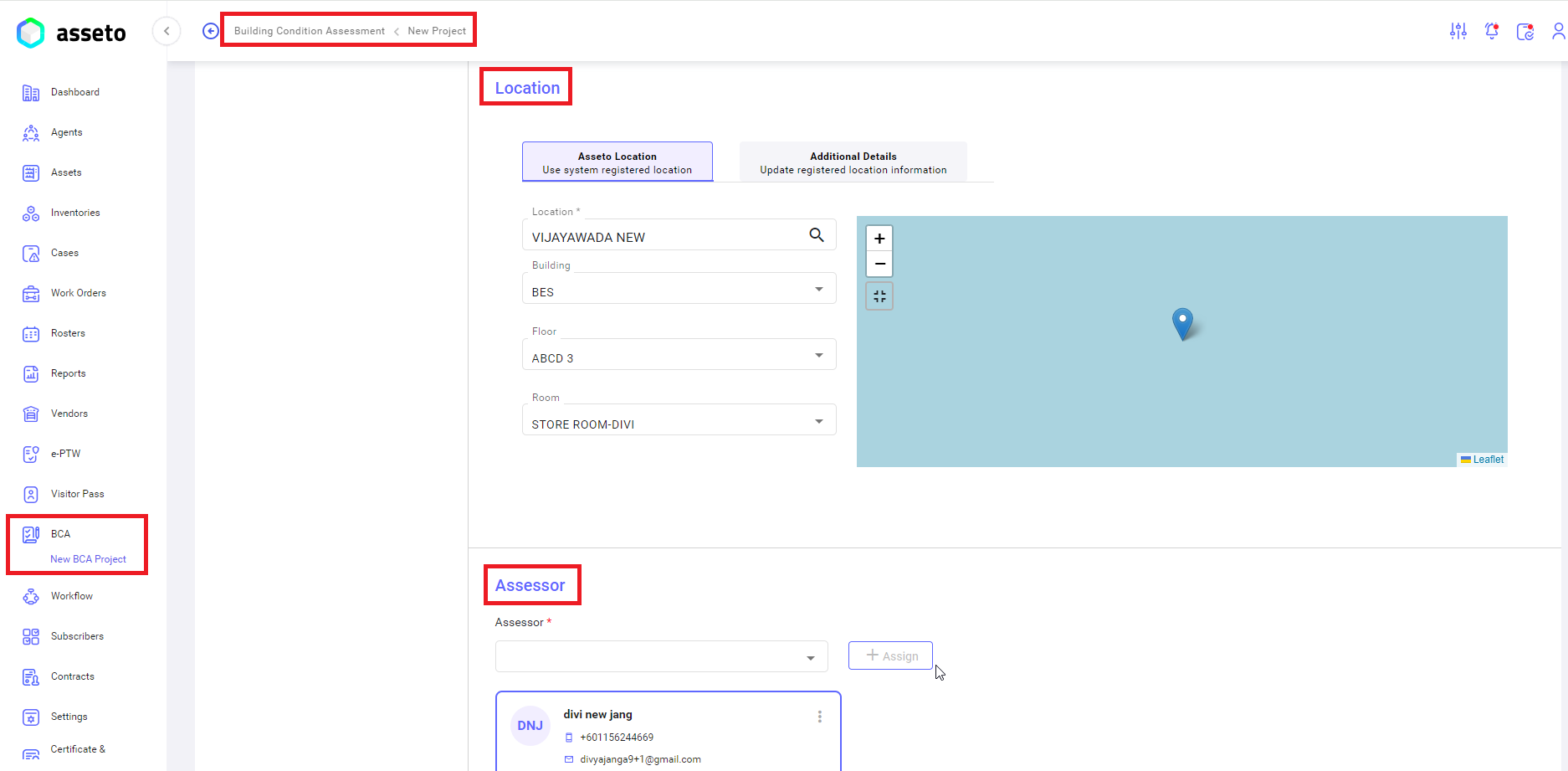
**Next:** Select the location and assessor.
**Note**: When a user (who is creating the BCA project) selects multiple assessors, and only one assessor accepts the request, the assessor's supervisor will monitor the assessment conducted by the assessor. The supervisor will then have the authority to approve or reject the project based on the audit report.
[](http://ec2-3-7-68-25.ap-south-1.compute.amazonaws.com/uploads/images/gallery/2024-08/bca-new-bca-pro2.png)
After entering the location, the assets relevant to that location will be displayed in below assets list.
[](http://ec2-3-7-68-25.ap-south-1.compute.amazonaws.com/uploads/images/gallery/2024-08/bca-new-bca-pro3.png)
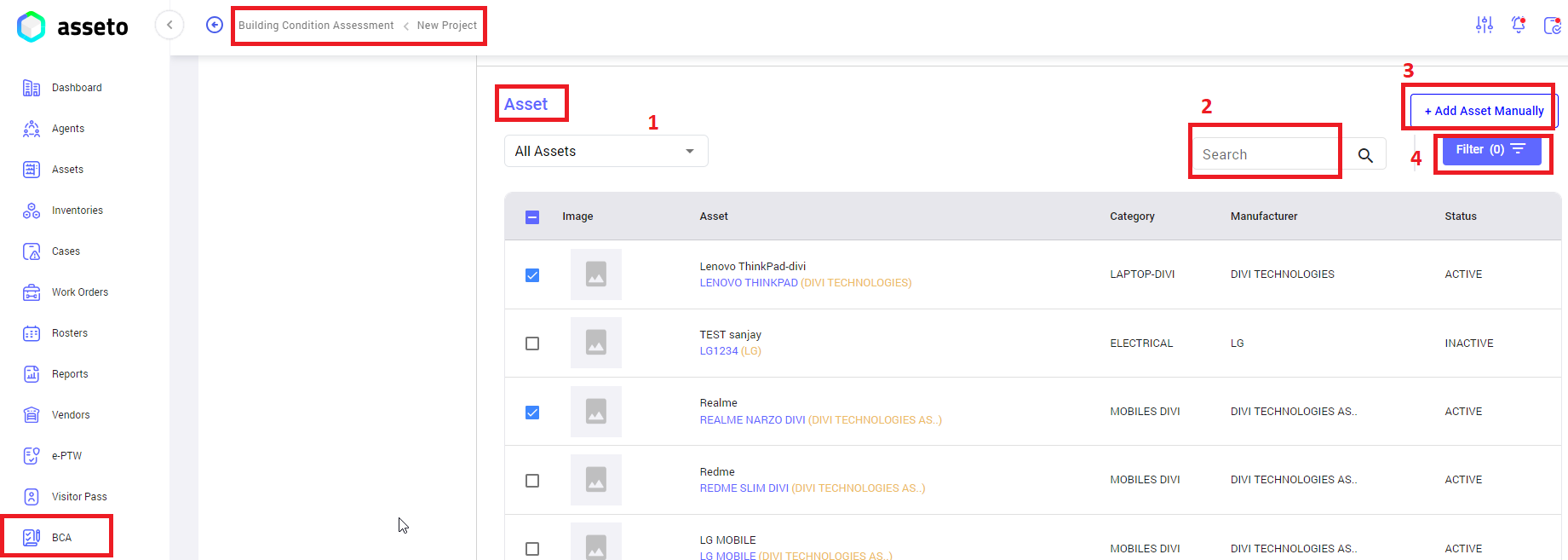
1. **All assets**: dropdown to select all assets displaying under selected location.
2. **Search**: to search the assets with name.
3. **Add Asset Manually**: If an asset is not listed and needs to be added, the BCA project creator can use the "Add Asset Manually" button.
4. **Filter**: to filter out the assets.
[](http://ec2-3-7-68-25.ap-south-1.compute.amazonaws.com/uploads/images/gallery/2024-08/bca-new-bca-pro4.png)
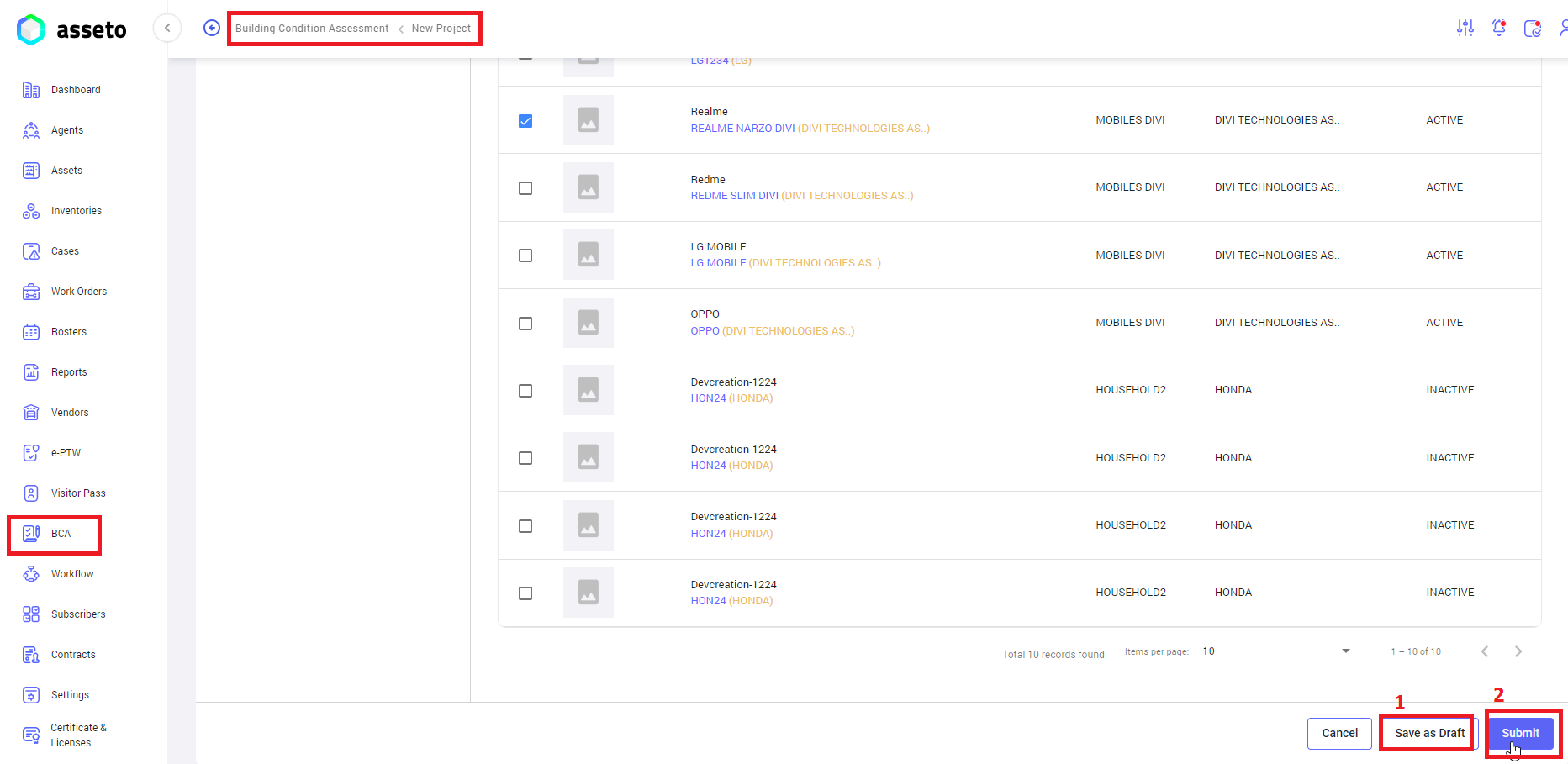
1. **Save as a Draft:** button for not submitting now, means we can edit this BCA project and submit it later.
2. **Submit**: Click on the submit button to save the project.
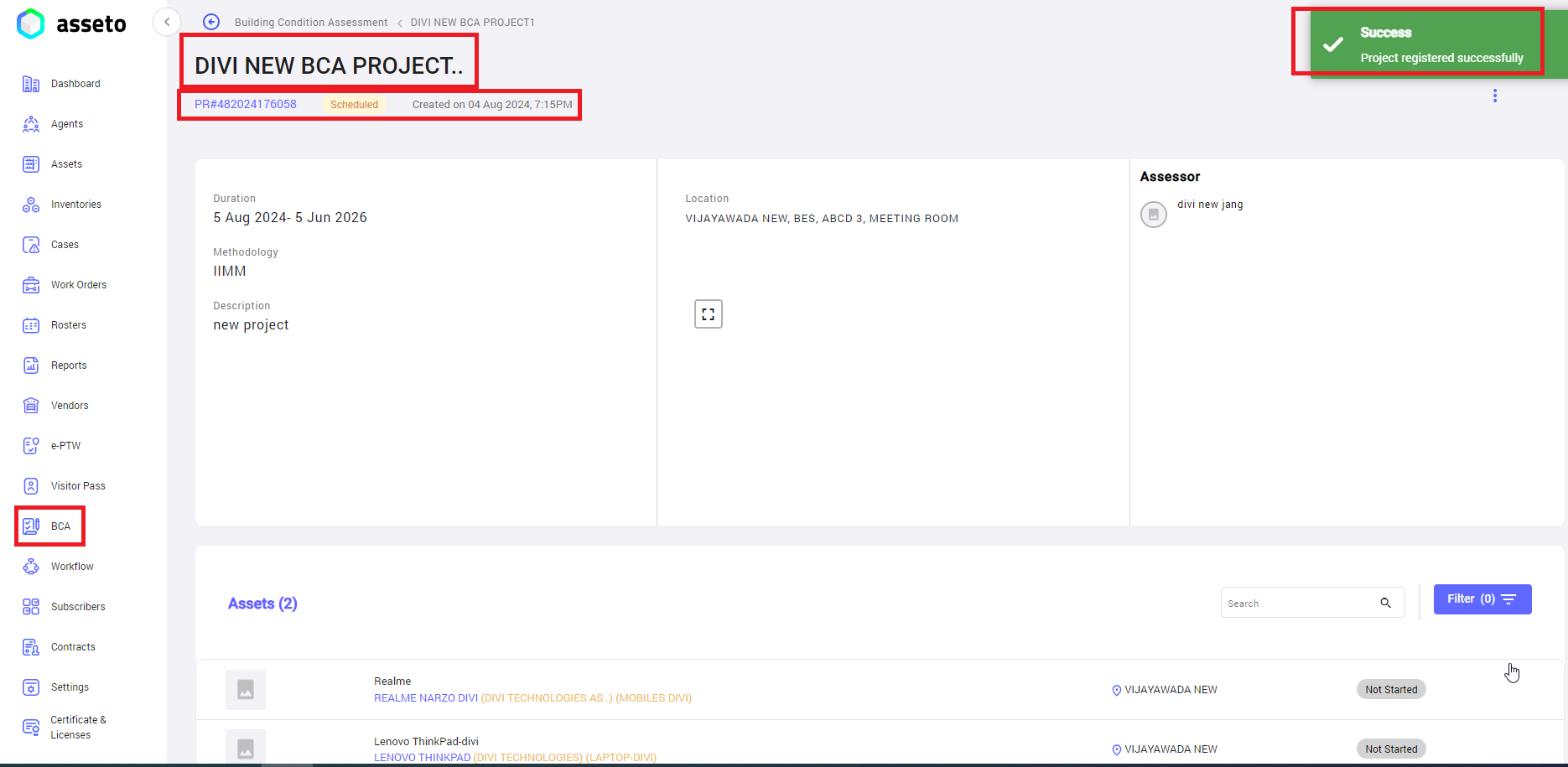
A confirmation message “project registered successfully” will be displayed and the system will navigate to BCA project view page as shown by below screenshot.
[](http://ec2-3-7-68-25.ap-south-1.compute.amazonaws.com/uploads/images/gallery/2024-08/f5xbca-new-bca-pro5.png)
Here, the user can view the project details and assets are added by the user during creation of the project in the application.
---