# 10. Visitor Pass

<u><span lang="EN-US" style="mso-bidi-font-family: Calibri; mso-bidi-theme-font: minor-latin; mso-ansi-language: EN-US;">Settings -&gt; Visitor Pass:</span></u>

User can configure General, Person In Charge, Visitor Check list, Template. Options are available as menu on left side, General is highlighted by default.

[![settings-visitorpass1.png](https://kb.asseto.ai/uploads/images/gallery/2024-09/embedded-image-fjic8i39.png)](http://ec2-3-7-68-25.ap-south-1.compute.amazonaws.com/uploads/images/gallery/2024-08/settings-visitorpass1.png)
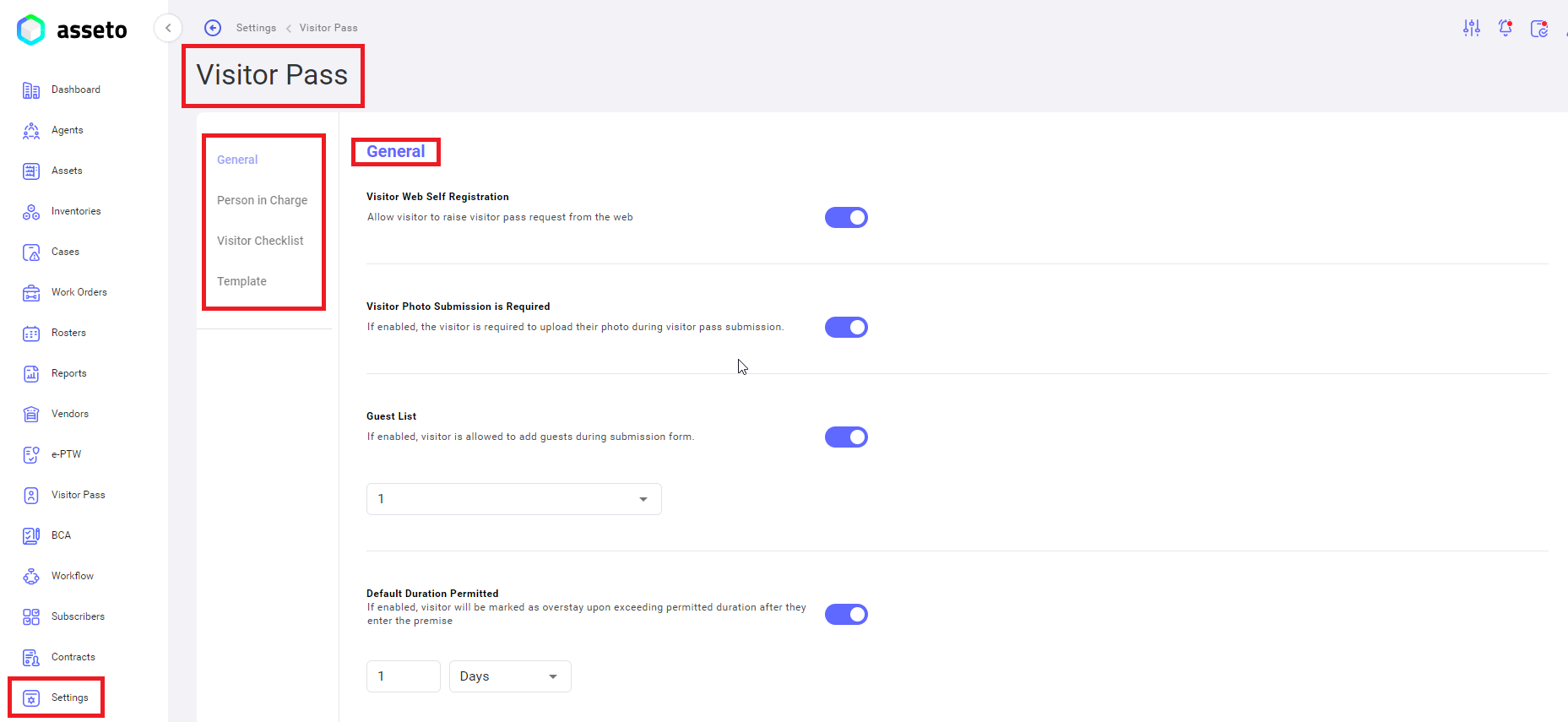
**<span style="mso-bidi-font-family: Calibri; mso-bidi-theme-font: minor-latin;"><span style="mso-list: Ignore;">i.<span style="font: 7.0pt 'Times New Roman';"> </span></span></span>****Settings -&gt; Visitor Pass -&gt; General**

General configurations are explained below.

[![settings- visitor pass -general1.png](https://kb.asseto.ai/uploads/images/gallery/2024-09/embedded-image-pdtky4ck.png)](http://ec2-3-7-68-25.ap-south-1.compute.amazonaws.com/uploads/images/gallery/2024-08/settings-visitor-pass-general1.png)
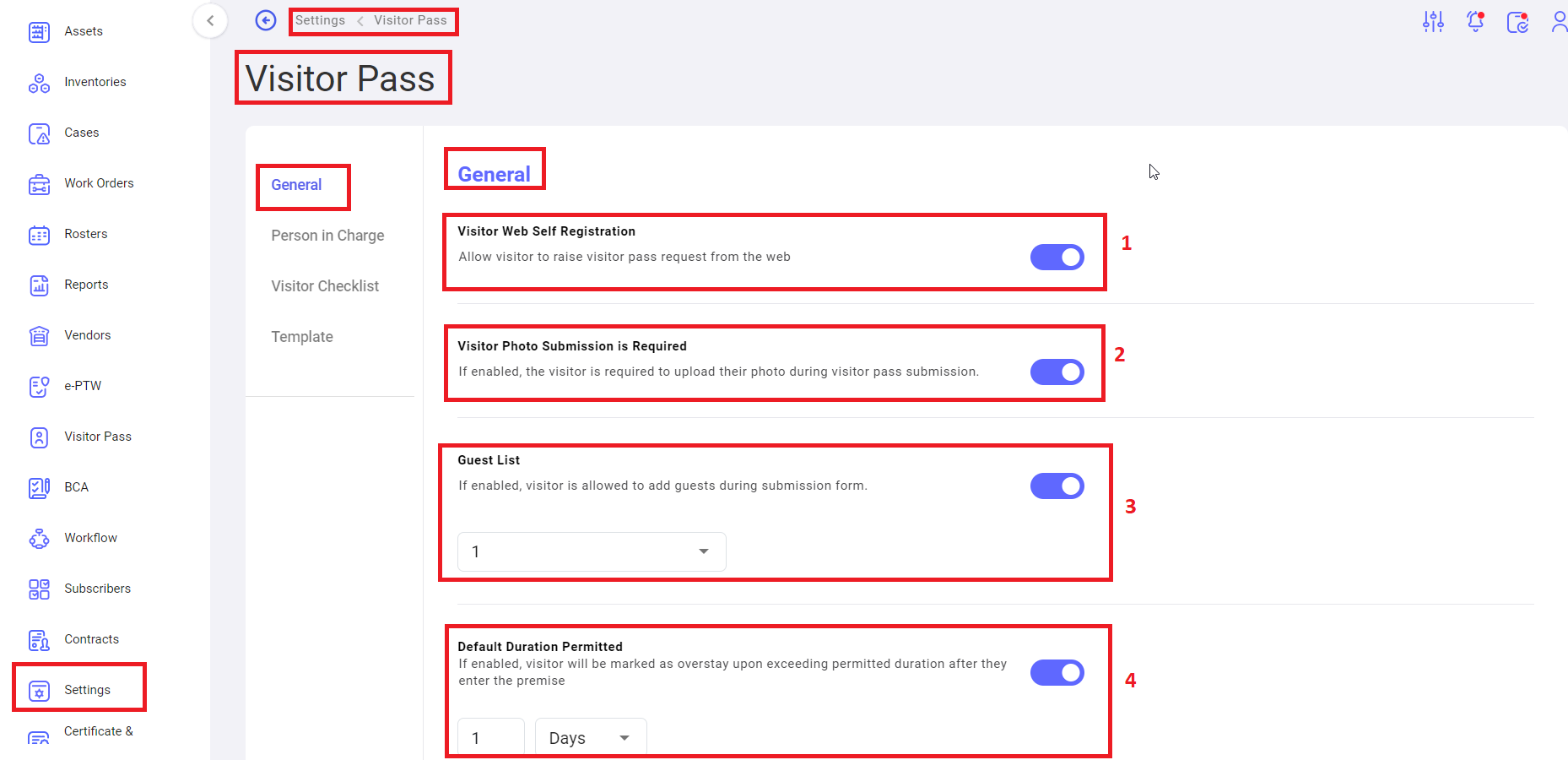
 <span style="mso-bidi-font-family: Calibri; mso-bidi-theme-font: minor-latin;"><span style="mso-list: Ignore;">1.<span style="font: 7.0pt 'Times New Roman';"> </span></span></span><u>Visitor Web Self Registration</u>: Whether to Allow visitor to raise visitor pass request from the web.

<span style="mso-bidi-font-family: Calibri; mso-bidi-theme-font: minor-latin;"><span style="mso-list: Ignore;">2.<span style="font: 7.0pt 'Times New Roman';"> </span></span></span><u>Visitor Photo Submission is Required</u>: Whether to allow the visitor is required to upload their photo during visitor pass submission.

<span style="mso-bidi-font-family: Calibri; mso-bidi-theme-font: minor-latin;"><span style="mso-list: Ignore;">3.<span style="font: 7.0pt 'Times New Roman';"> </span></span></span><u>Guest List</u>: To set the limit for visitors to add guests during submission form.

<span style="mso-bidi-font-family: Calibri; mso-bidi-theme-font: minor-latin;"><span style="mso-list: Ignore;">4.<span style="font: 7.0pt 'Times New Roman';"> </span></span></span><u>Default Duration Permitted</u>: To set limit for visitor to mark on overstay upon exceeding permitted duration after they enter the premise.

[![settings- visitor pass -general2.png](https://kb.asseto.ai/uploads/images/gallery/2024-09/embedded-image-41krxxwk.png)](http://ec2-3-7-68-25.ap-south-1.compute.amazonaws.com/uploads/images/gallery/2024-08/settings-visitor-pass-general2.png)
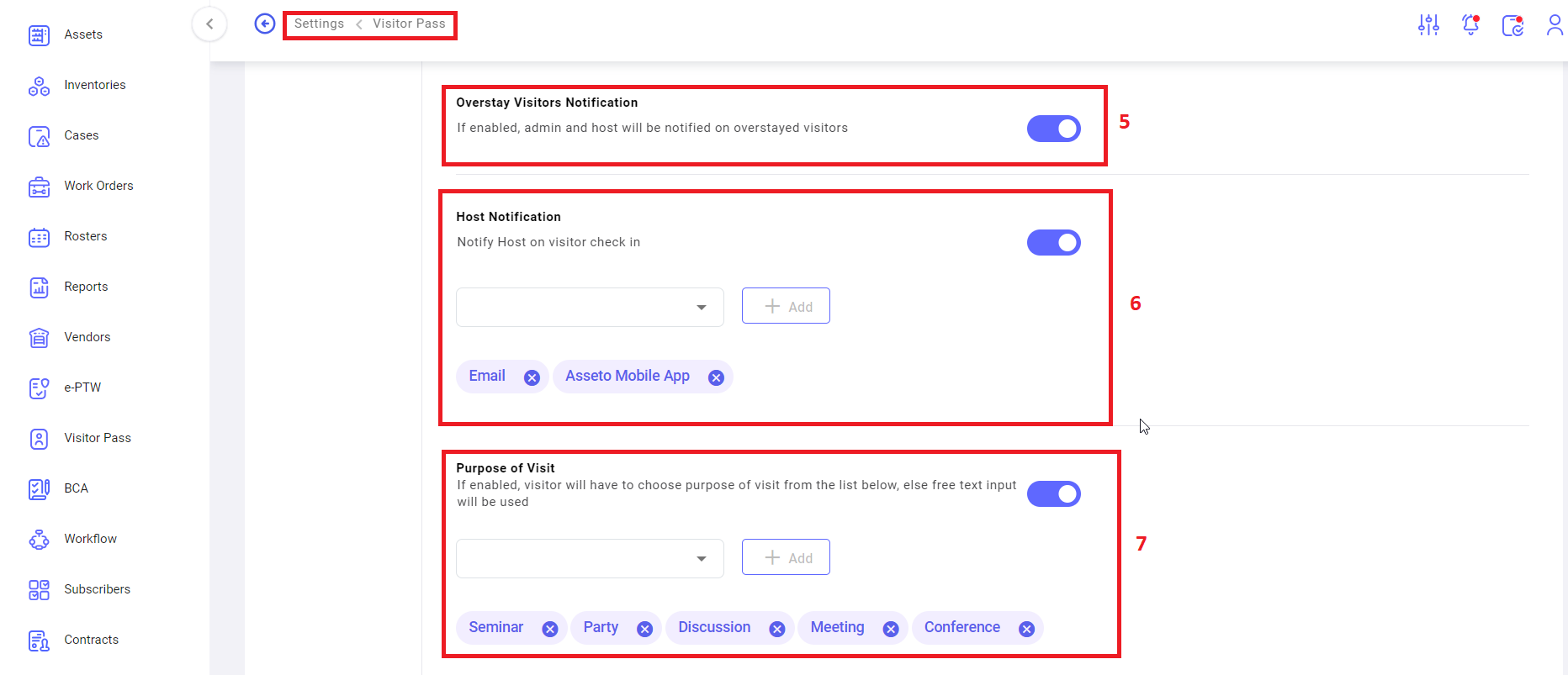
 <span style="mso-bidi-font-family: Calibri; mso-bidi-theme-font: minor-latin;"><span style="mso-list: Ignore;">5.<span style="font: 7.0pt 'Times New Roman';"> </span></span></span><u>Overstay Visitors Notification</u>: Whether to notify admin and host on overstayed visitors.

<span style="mso-bidi-font-family: Calibri; mso-bidi-theme-font: minor-latin;"><span style="mso-list: Ignore;">6.<span style="font: 7.0pt 'Times New Roman';"> </span></span></span><u>Host Notification</u>: Whether to notify Host on visitor check in and select the notification channel. I.e., SMS, Email, Asseto Mobile App

<span style="mso-bidi-font-family: Calibri; mso-bidi-theme-font: minor-latin;"><span style="mso-list: Ignore;">7.<span style="font: 7.0pt 'Times New Roman';"> </span></span></span><u>Purpose of Visit</u>: To show or hide the purpose of visit drop down on Visitor pass creation page and its list of values. Neuron Solutions Page No &lt; # &gt; Confidential.

[![settings- visitor pass -general3.png](https://kb.asseto.ai/uploads/images/gallery/2024-09/embedded-image-ekzvisn6.png)](http://ec2-3-7-68-25.ap-south-1.compute.amazonaws.com/uploads/images/gallery/2024-08/settings-visitor-pass-general3.png)

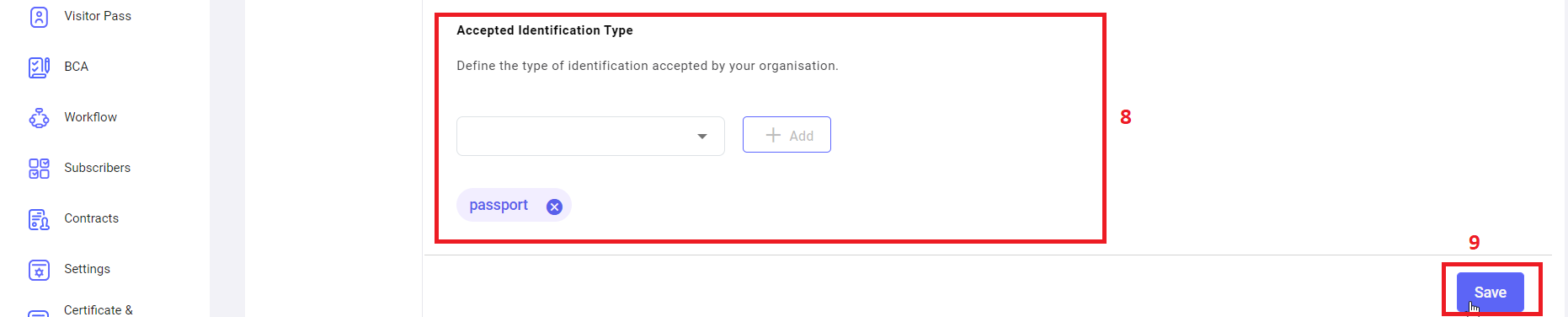
 <span style="mso-bidi-font-family: Calibri; mso-bidi-theme-font: minor-latin;"><span style="mso-list: Ignore;">8.<span style="font: 7.0pt 'Times New Roman';"> </span></span></span><u>Accepted Identification Type</u>: To define the identification types to be accepted by an Organization for Visitor pass.

<span style="mso-bidi-font-family: Calibri; mso-bidi-theme-font: minor-latin;"><span style="mso-list: Ignore;">9.<span style="font: 7.0pt 'Times New Roman';"> </span></span></span><u>Save</u>: click on save button to save the all changes in general configurations.

**<span style="mso-bidi-font-family: Calibri; mso-bidi-theme-font: minor-latin;"><span style="mso-list: Ignore;">ii.<span style="font: 7.0pt 'Times New Roman';"> </span></span></span>****Settings -&gt; Visitor Pass -&gt; Person in Charge**

Person in Charge is the person who approves or rejects the visitor pass for specific location based on the configuration.

[![settings- visitor pass -pers inchrg1.png](https://kb.asseto.ai/uploads/images/gallery/2024-09/embedded-image-vdo9ugwh.png)](http://ec2-3-7-68-25.ap-south-1.compute.amazonaws.com/uploads/images/gallery/2024-08/settings-visitor-pass-pers-inchrg1.png)
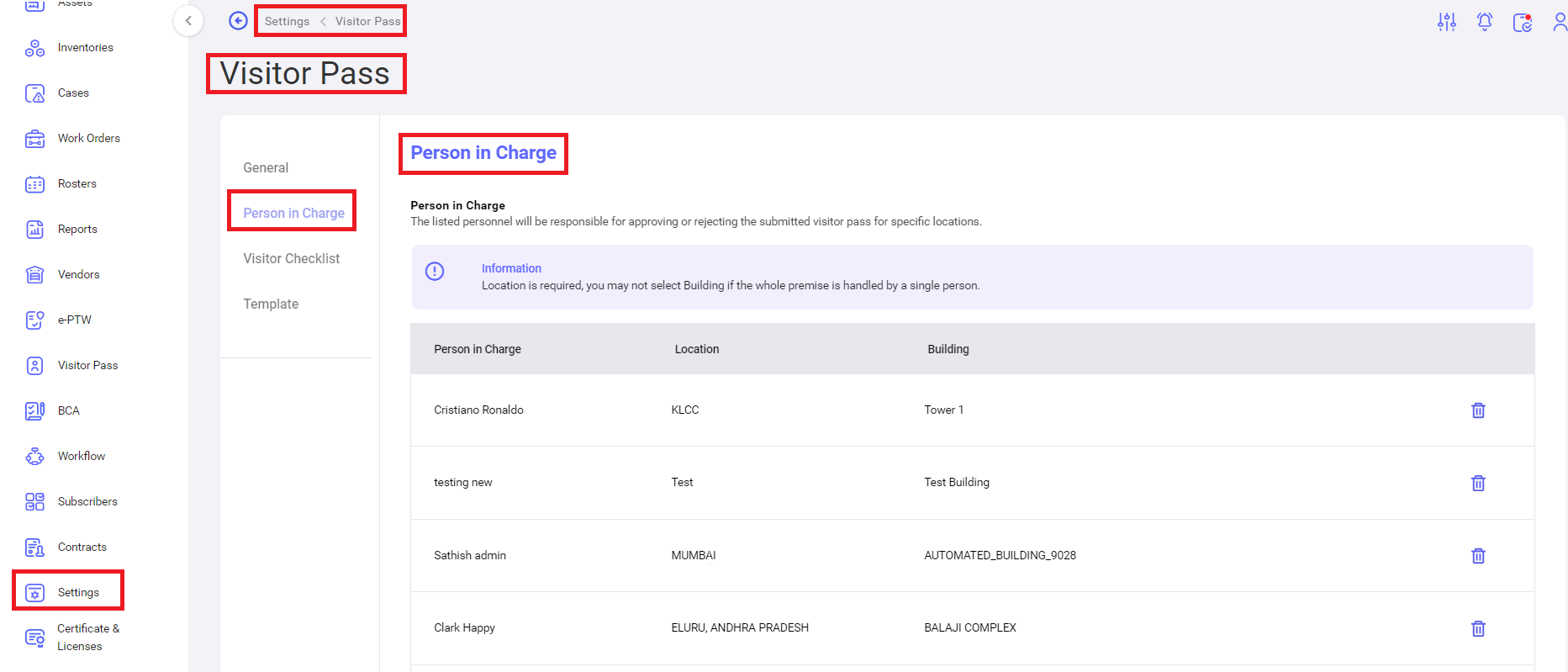
Click on add new to configure the person in charge details.

[![settings- visitor pass -pers inchrg2.png](https://kb.asseto.ai/uploads/images/gallery/2024-09/embedded-image-uojcdrat.png)](http://ec2-3-7-68-25.ap-south-1.compute.amazonaws.com/uploads/images/gallery/2024-08/settings-visitor-pass-pers-inchrg2.png)
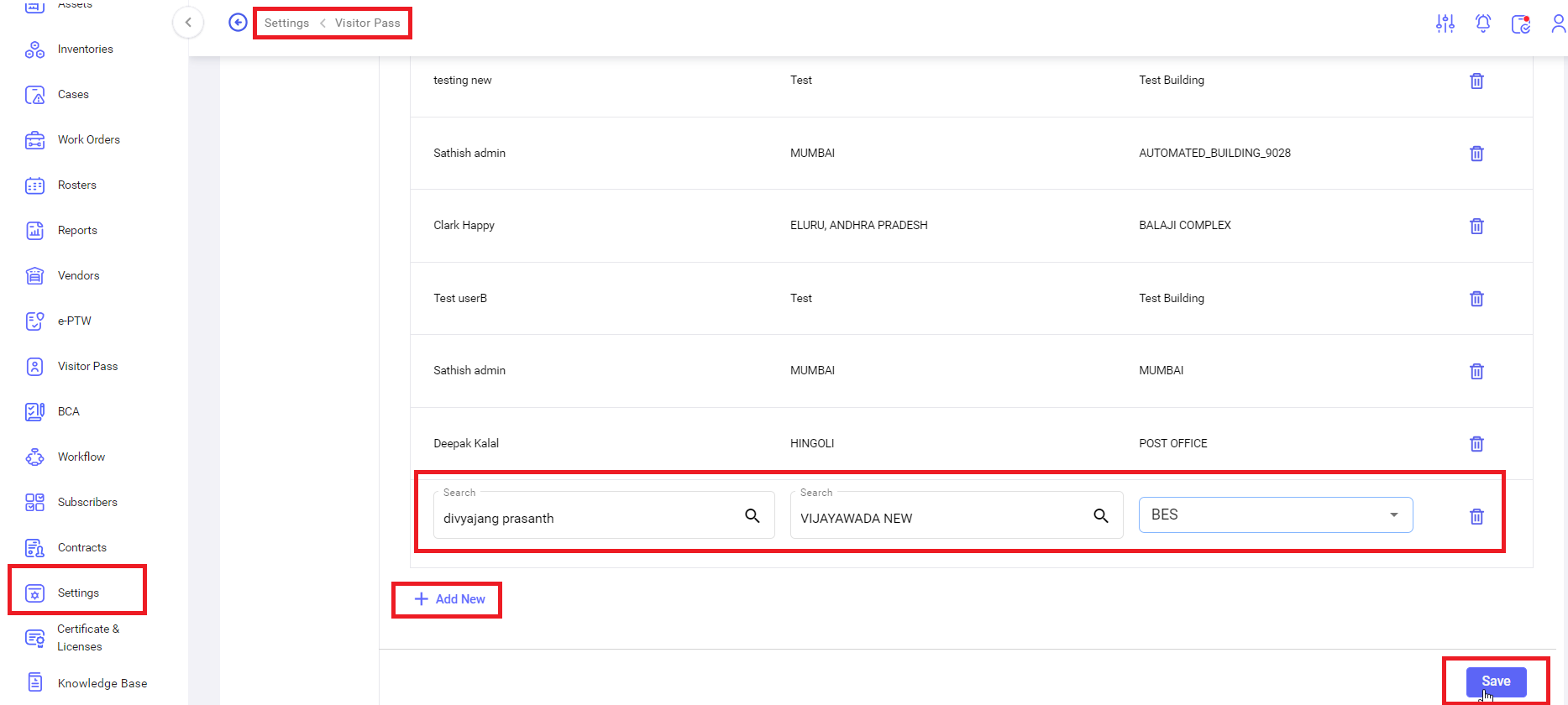
Click on “save” button, confirmation message “person in charge settings saved successfully” will be display.

[![settings- visitor pass -pers inchrg3.png](https://kb.asseto.ai/uploads/images/gallery/2024-09/embedded-image-ypbctkr5.png)](http://ec2-3-7-68-25.ap-south-1.compute.amazonaws.com/uploads/images/gallery/2024-08/settings-visitor-pass-pers-inchrg3.png)
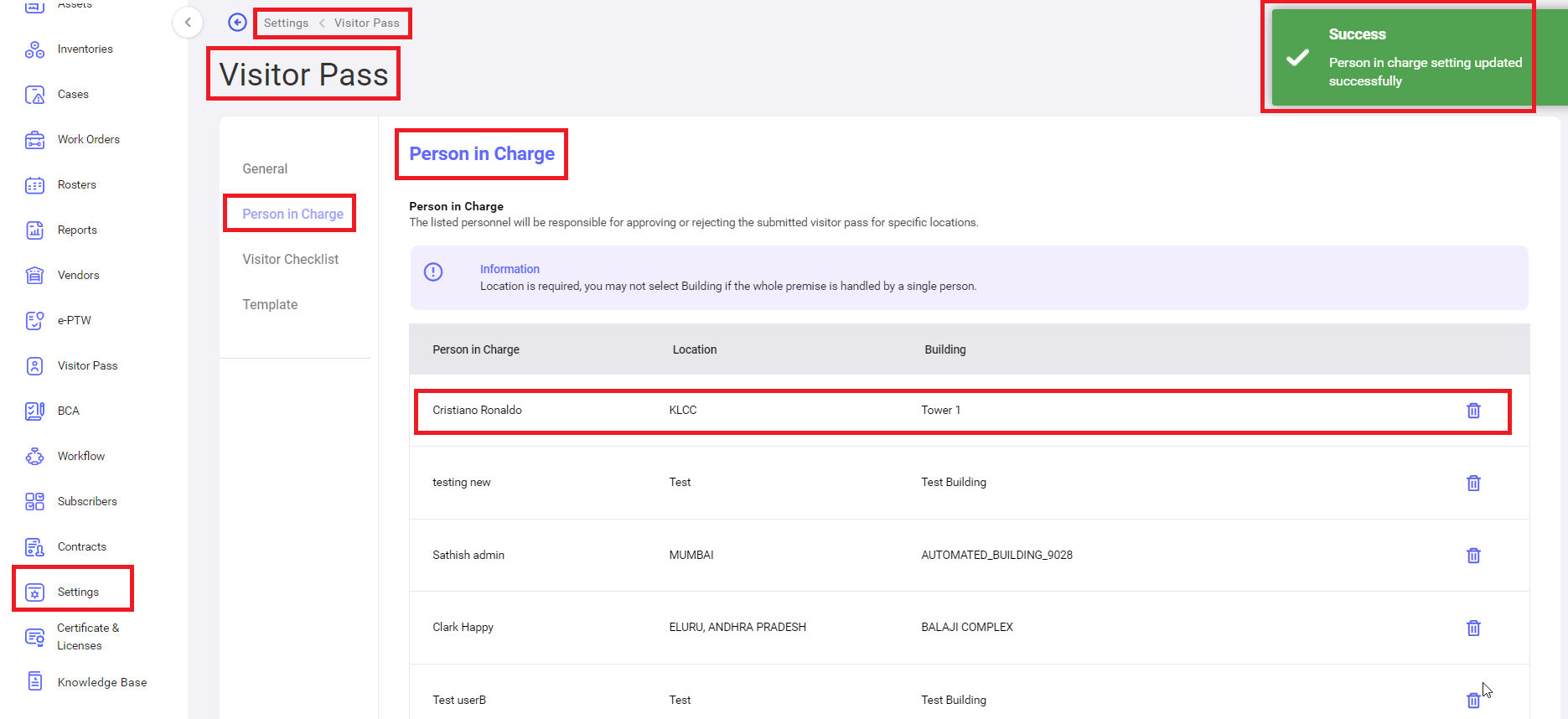
 <u>Delete</u>: to delete the selected person in charge.

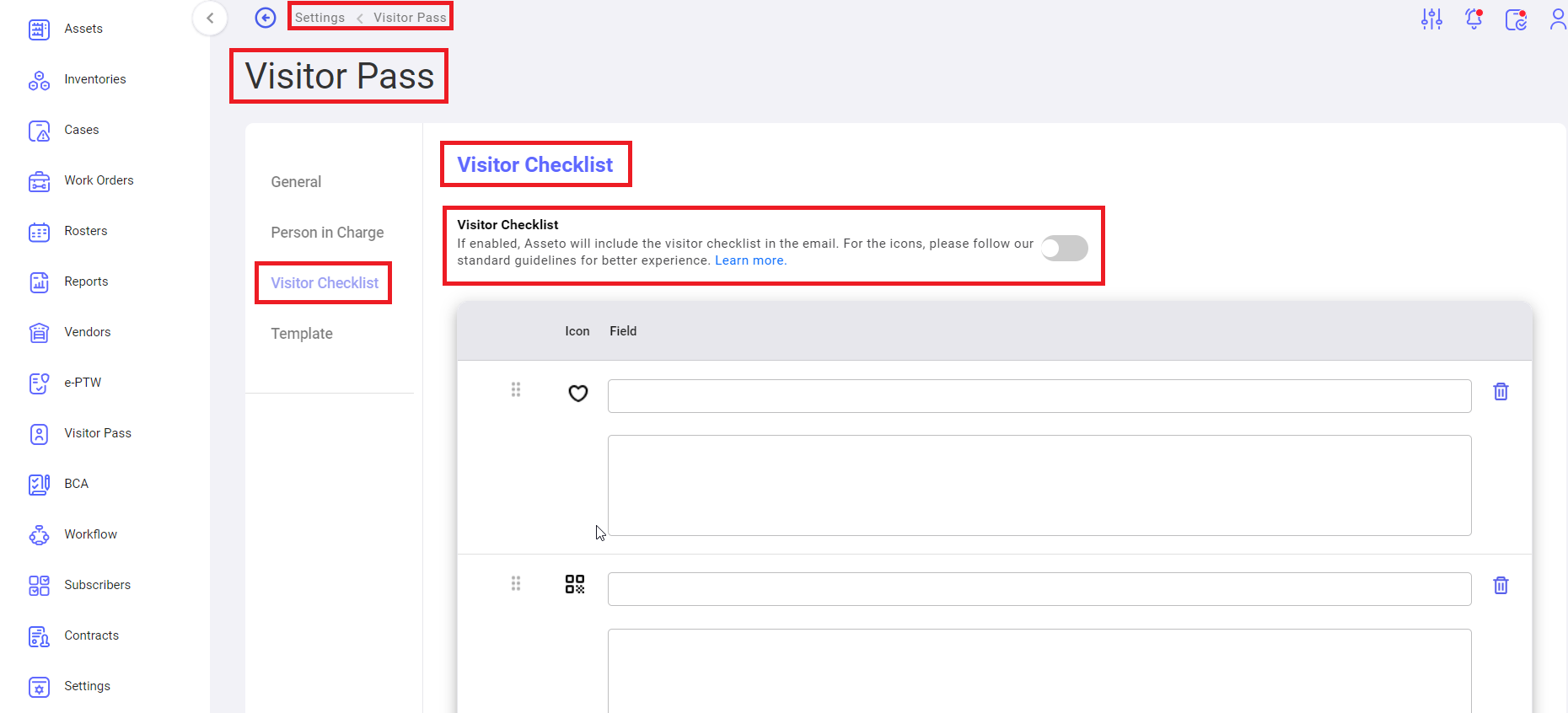
**<span style="mso-bidi-font-family: Calibri; mso-bidi-theme-font: minor-latin;"><span style="mso-list: Ignore;">iii.<span style="font: 7.0pt 'Times New Roman';"> </span></span></span>****Settings -&gt; Visitor Pass -&gt; Checklist**

This configuration defines whether to include checklist in the email or not.

[![settings- visitor pass - vistor cheklist1.png](https://kb.asseto.ai/uploads/images/gallery/2024-09/embedded-image-ibhjcr0v.png)](http://ec2-3-7-68-25.ap-south-1.compute.amazonaws.com/uploads/images/gallery/2024-08/settings-visitor-pass-vistor-cheklist1.png)
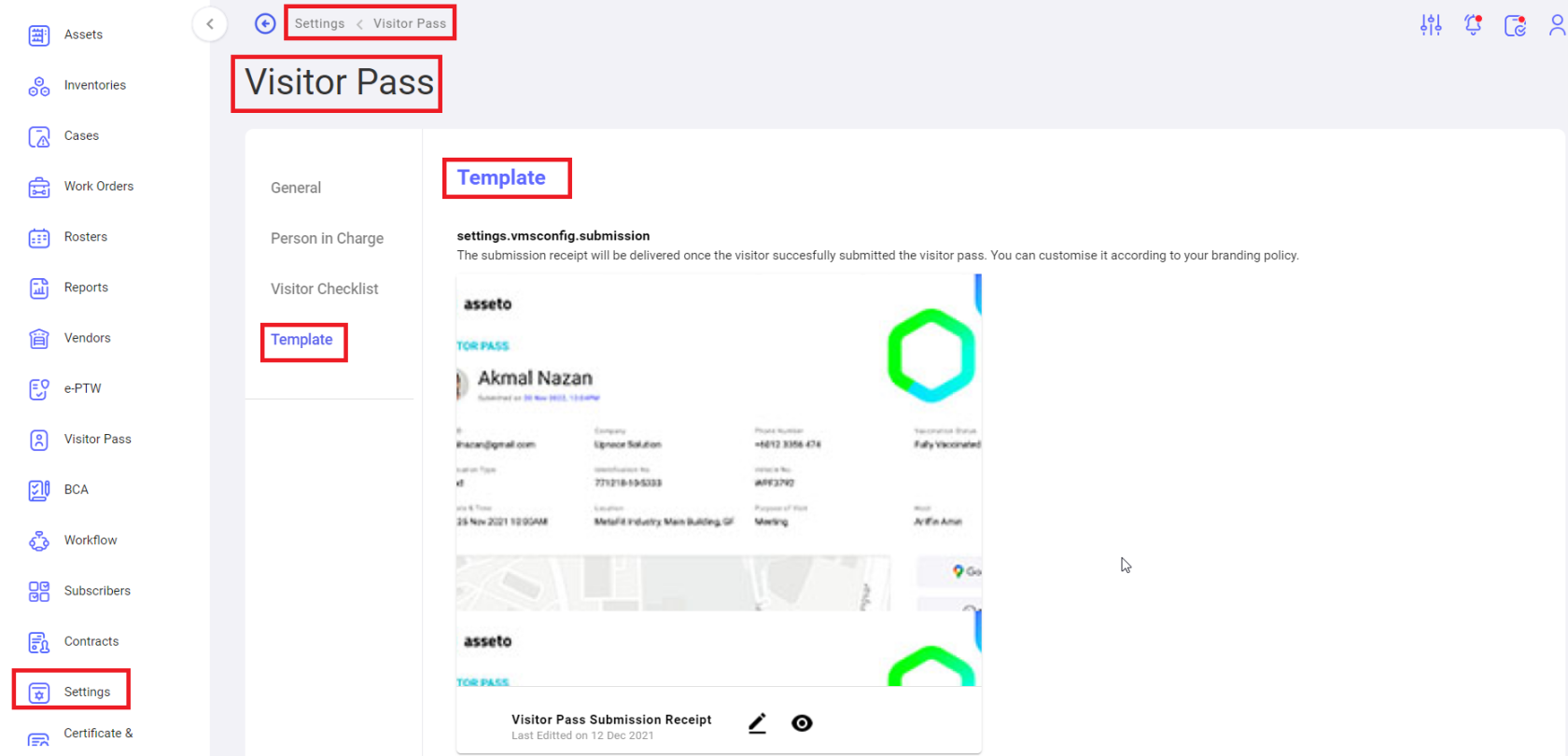
**<span style="mso-bidi-font-family: Calibri; mso-bidi-theme-font: minor-latin;"><span style="mso-list: Ignore;">iv.<span style="font: 7.0pt 'Times New Roman';"> </span></span></span>****Settings -&gt; Visitor Pass -&gt; Template**

<span style="font-size: 11.0pt; line-height: 107%; font-family: 'Calibri',sans-serif; mso-ascii-theme-font: minor-latin; mso-fareast-font-family: Calibri; mso-fareast-theme-font: minor-latin; mso-hansi-theme-font: minor-latin; mso-bidi-font-family: 'Times New Roman'; mso-bidi-theme-font: minor-bidi; mso-ansi-language: EN-MY; mso-fareast-language: EN-US; mso-bidi-language: AR-SA;">Once a visitor successfully submits the visitor pass, the submission receipt should be delivered. Using this feature, templates can be configured for submission receipt.</span>

[![settings- visitor pass -template1.png](https://kb.asseto.ai/uploads/images/gallery/2024-09/embedded-image-cgdkvp6a.png)](http://ec2-3-7-68-25.ap-south-1.compute.amazonaws.com/uploads/images/gallery/2024-08/settings-visitor-pass-template1.png)

<div class="page-content" dir="auto" id="bkmrk--9">---

</div>